Awards Trophy Full-Color Icon Set for Creative Projects
Whether you're designing a website, crafting a presentation, or putting together marketing materials, visuals play a key role in how your message is received. The Awards Trophy Full-Color Icon set offers a versatile and professional way to highlight achievements, recognition, and success across your digital and print content.
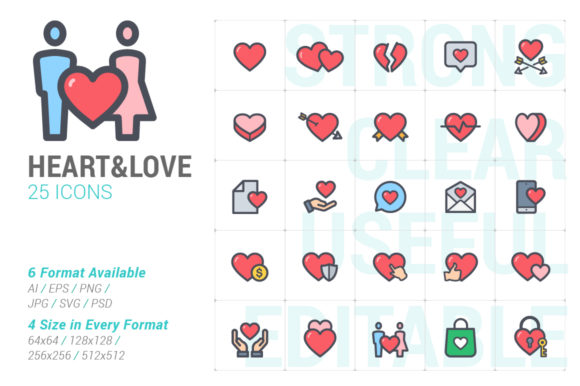
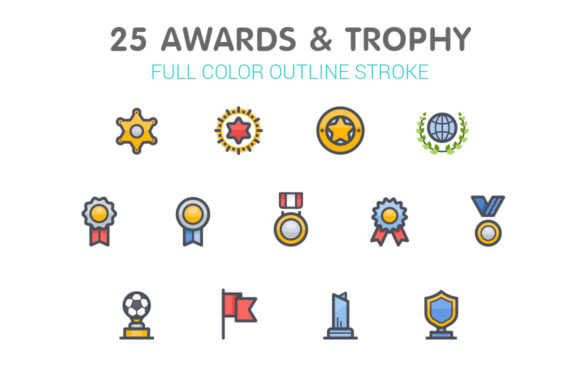
This collection includes 25 unique full-color trophy icons, each available in a wide range of file formats including .ai, .eps, .svg, .png, .psd, and .jpg. Designed for flexibility, these icons come in four different sizes—64x64, 128x128, 256x256, and 512x512 pixels—making them suitable for everything from mobile apps to large banners.
Why Choose the Awards Trophy Icon Set?
Icons are more than just decorative elements—they help communicate ideas quickly and effectively. The Awards Trophy Full-Color Icon set is especially useful when you want to visually represent excellence, recognition, or performance. These icons are ideal for:
- Marketing agencies showcasing client wins
- Educational platforms recognizing student achievements
- Websites and apps that track user progress or rankings
- Promotional materials for contests, giveaways, or award ceremonies
Each icon is crafted with clean lines and vibrant colors, ensuring they stand out without overwhelming your design. Because they're available in vector formats like .ai and .svg, you can scale them up or down without losing quality, which is especially useful for responsive web design or print media.
File Types and What They Mean for You
One of the biggest advantages of this icon set is the variety of file formats included. Here's a quick breakdown of what each format offers:
- .ai (Adobe Illustrator) – Ideal for professional designers who want to edit the icons in Adobe Illustrator. Each icon is placed on its own artboard for easy access.
- .eps (Encapsulated PostScript) – A vector format compatible with many design programs, great for both print and digital use.
- .svg (Scalable Vector Graphics) – Perfect for websites, as they scale smoothly and load quickly without losing quality.
- .png (Portable Network Graphics) – High-quality raster images with transparent backgrounds, allowing for flexible placement over any design.
- .psd (Photoshop Document) – Useful if you're editing icons in Adobe Photoshop or combining them with other layered graphics.
- .jpg (Joint Photographic Experts Group) – Raster images on white backgrounds, ideal for simple use in documents, presentations, or print.
Whether you're a beginner using .png files in a presentation or a professional editing vector files in Illustrator, this set gives you the tools to work efficiently and creatively.
Real-World Uses for Trophy Icons
Let’s look at a few practical examples of how you might use these icons in everyday projects:
- Marketing Agencies – Use trophy icons in case studies or client reports to visually represent success stories and award wins.
- Educational Websites – Incorporate them into dashboards or progress tracking systems to reward learners with visual milestones.
- Social Media Graphics – Create eye-catching posts announcing contests, top performers, or featured clients.
- Website Templates – Add them to sections like "Why Choose Us" or "Our Achievements" to reinforce your brand’s credibility.
- Promotional Materials – Whether it’s a flyer, brochure, or poster, trophy icons help emphasize the value of your offering.
Because these icons come in multiple sizes and formats, they're easy to integrate into different platforms and applications without any extra effort.
Customization Made Easy
One of the best features of this icon set is its flexibility. Whether you're using a vector format to tweak colors and shapes or placing a pre-sized .png into a slide deck, the icons are designed to fit seamlessly into your workflow.
For example, if you're designing a mobile app that rewards users with badges or achievements, you can use the .svg versions to ensure crisp display on all screen sizes. If you're creating a PowerPoint presentation for a business pitch, simply drop in the .png icons at the appropriate size—no need to adjust or resize manually.
What to Consider Before Using Trophy Icons
While the Awards Trophy Full-Color Icon set is highly adaptable, there are a few things to keep in mind before diving in:
- Consistency – Make sure the style of the icons matches the overall design of your project. These full-color icons are vibrant and modern, so they work best with similarly styled content.
- Usage Rights – Always double-check the licensing to ensure you're allowed to use the icons in your intended context, especially for commercial or public-facing materials.
- File Compatibility – If you're not using Adobe Illustrator or Photoshop, stick to the .svg, .png, or .jpg versions, which are supported by most design tools and platforms.
- Optimization – For web use, make sure to compress the files appropriately to keep your site loading quickly while maintaining visual quality.
By taking these small steps, you'll ensure your designs not only look great but also perform well across different devices and platforms.
Final Thoughts
The Awards Trophy Full-Color Icon set is more than just a collection of graphics—it's a practical tool that enhances communication and design. Whether you're a small business owner creating promotional content or a designer building a digital platform, these icons help you convey achievement and recognition with style and clarity.
With its wide range of formats, sizes, and customization options, this set makes it easy to bring a professional touch to any project. And because it's built for both beginners and professionals alike, you don’t need advanced design skills to make the most of it.